


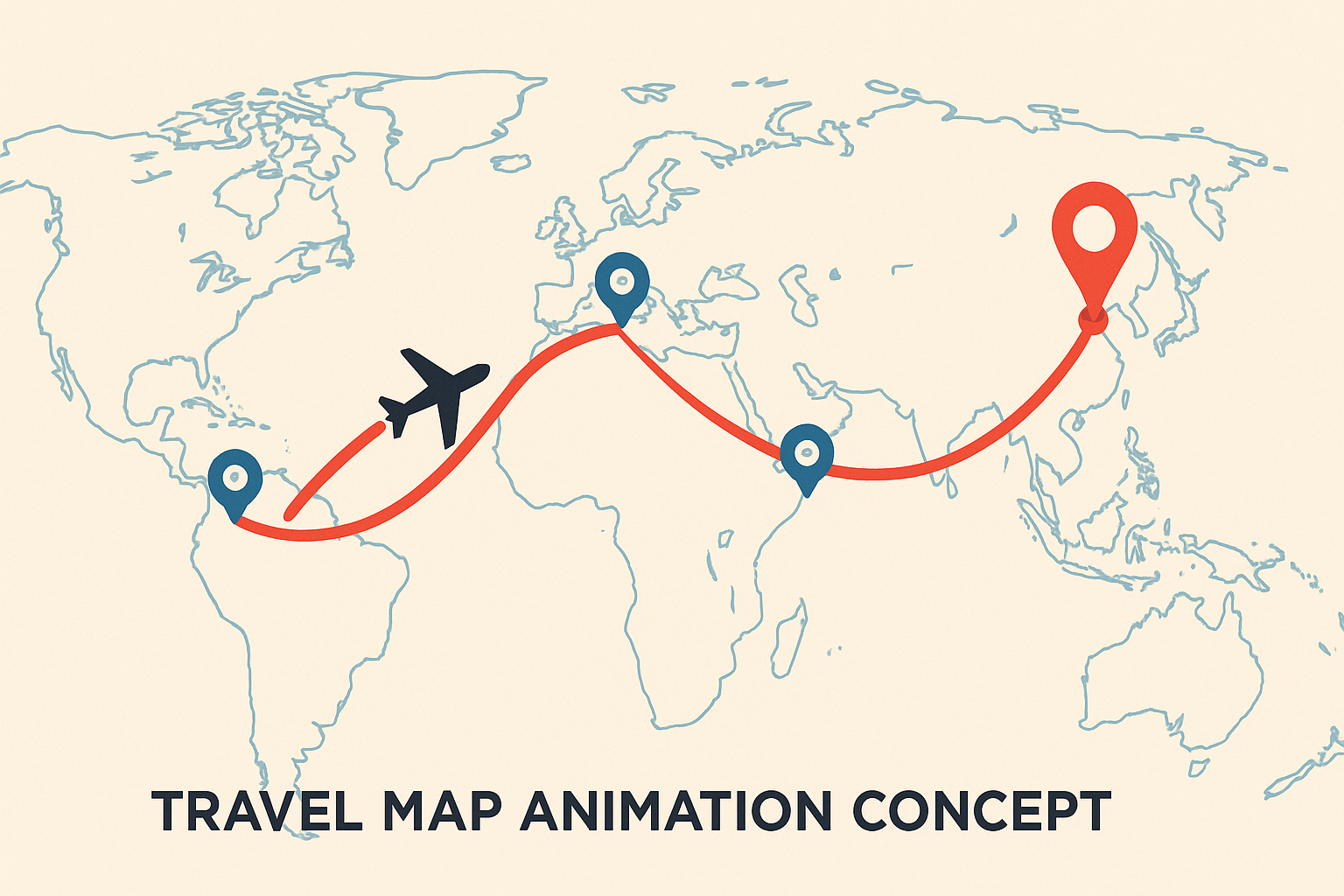
MapAnimationMaker.com Review. The Best Free Travel Map Animation Maker for Creators
If you create travel vlogs, Instagram Reels, TikToks or YouTube videos, a clean animated map of your route instantly makes your content look more professional. MapAnimationMaker.com does exactly that. It turns your itinerary into a smooth, shareable route animation. And it does it for free.
On our review site we currently rate MapAnimationMaker.com as the best free browser based travel map animation tool for most creators.
Quick verdict
- Overall rating. 4.9 / 5
- Best for. Travel content creators, vloggers, agencies, influencers
- Platform. Web based, no download required
- Price. Free at the time of review
Why we rate it as best.
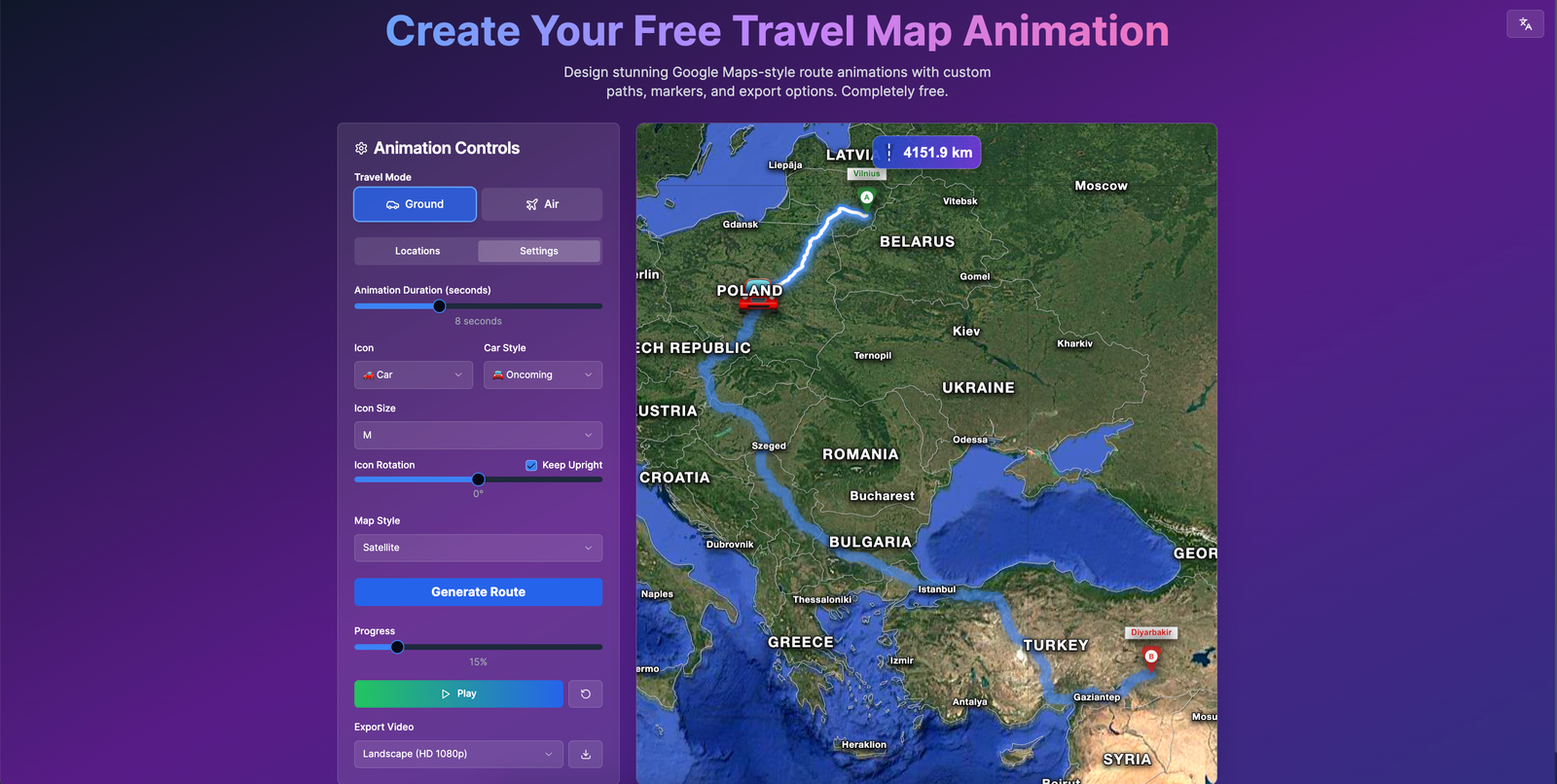
MapAnimationMaker.com focuses on one job. beautiful animated travel routes that are fast to create and optimized for social media. You can animate routes for cars or planes, add waypoints, tweak map styles, and export ready to use route videos without any video editing skills.
What is MapAnimationMaker.com
MapAnimationMaker.com is a free online travel map animation generator. Open it in your browser, add your trip stops, choose car or plane, customize the map, then export an animated route video for your journeys and stories.
The site describes itself as a way to:
- Create stunning, free travel map animations
- Animate routes for cars or planes
- Add waypoints, customize map styles
All of this is done directly in the browser, no app installation needed.
Key features at a glance
1. Route animation for cars and planes
- Choose a car or plane icon to represent your journey
- Smooth animation from start to finish along your defined path
2. Waypoints and multi stop routes
- Add as many intermediate stops as you need
- Reorder, rename or delete waypoints to refine your route
- Great for “Day 1, Day 2, Day 3” style itineraries
3. Map style and color customization
- Switch between different map styles, for example light or dark themes
- Adjust route colors, marker colors and overall look, so it matches your brand or video aesthetic
4. Text and labels on the map
- Add titles and text overlays to explain your trip
- Control whether place names and labels from the base map are visible or hidden
5. Multilingual friendly
- English interface available, Spanish content available
- Good for international creators
6. Export as travel route videos
- Create route videos ready to share in your editor or directly on social platforms
- Works well for YouTube, TikTok, Instagram Reels and Shorts
Hands on. How MapAnimationMaker.com works
This is the typical user flow when you create a route animation.
1. Open the tool and choose language
- Visit MapAnimationMaker.com and the main editor loads
- English and other langauges content are available
For international creators this makes it easier to follow the interface in your own language while still using global map data.
2. Add start, end and waypoints
You then create the spine of your animation.
- Use the map search to find your starting location
- Set it as your starting waypoint
- Search for your destination and add it as the end point
- Add any intermediate stops as waypoints to show a multi day or multi city itinerary
In the waypoint list you can usually:
- Reorder stops
- Rename them for clarity
- Remove unnecessary points
This makes MapAnimationMaker.com ideal for “From Paris to Rome via Milan” journeys.
3. Choose car or plane and tune the animation
Next you pick how the trip will move.
- Vehicle mode. choose between car and plane
- Speed. adjust how quickly the route gets drawn
- Pause at waypoints. allow the animation to linger at each stop
The result is a clean motion graphic style route that looks professional and works equally well in vlog style content and cinematic edits.
4. Control labels, location names and markers
One of the most useful details for creators is being able to hide or show map labels.
Typical options include:
- Show or hide built in place names
- Show or hide marker labels for each waypoint
- Choose different marker styles and colors
This lets you choose between a clean map with no labels or a detailed map with city names visible.
5. Customize map style and colors
To match your channel branding, you can customize:
- Base map theme. light or dark
- Route line. color and thickness
- Markers. start, end and waypoint colors
Dark maps with bright routes are great for cinematic travel edits, while light maps look friendly for casual content.
6. Add text on the map
MapAnimationMaker.com allows you to overlay text such as:
- A main title
- Subtitle or trip description
- Per waypoint labels like “Day 3. Ubud”
The tool supports multilingual input, so you can write titles in any language.
7. Export and download your route video
Once your animation looks right in the preview, you export.
- Click the export or download button
- The service renders an animated route video
- Download it and drop it into your editor or upload it directly to social platforms
Creators commonly use it for Instagram Reels, YouTube, Shorts and TikTok.
Multilingual and international use
MapAnimationMaker.com targets a global creator audience.
- English interface
- Spanish language content
- Ability to hide map labels and add your own multilingual text
This is ideal for creators who publish in multiple languages.
Pricing
MapAnimationMaker.com positions itself as a free travel map animation generator for creating custom route videos.
At the time of this review.
- No software installation cost
- No app purchase required
- Everything works directly in the browser
Competitors often require subscriptions or app installs, making this one of the best value tools available.
MapAnimationMaker.com vs alternatives
Other tools in the travel map animation category include:
- Multidev style map animation tools
- PamPam style design oriented map animators
- Mobile apps for iOS or Android
These alternatives may offer advanced design features, but they often involve subscriptions or more complexity.
Why MapAnimationMaker.com remains our top pick.
- Zero install
- Free
- Extremely fast to use
- Clean, professional looking outputs
- Easy workflow for creators
For most users who simply want an animated travel route, this is the ideal first choice.
Pros and cons
Pros
- Completely web based and free
- Designed specifically for travel route videos
- Supports cars and planes
- Add multiple waypoints and reorder them
- Strong map style and label control
- Easy to hide place names for a clean look
- Multilingual friendly
- Ideal for social media creators
Cons
- Limited advanced 3D animation features
- Browser performance varies by device
- Export settings are designed for creators rather than enterprise environments
Who should use MapAnimationMaker.com
MapAnimationMaker.com is perfect for:
- YouTube and TikTok travel creators
- Instagram Reels and Stories
- Travel agencies and tour operators
- Event planners and destination marketers
If you want clean animated route videos for your content, this tool makes the process extremely simple.
Final verdict. Our rating
We rate MapAnimationMaker.com 4.9 out of 5 and classify it as the best free online travel map animation maker for most creators who want fast, polished travel route videos.
It combines:
- Free access
- Simple browser workflow
- Multi stop routes with cars or planes
- Strong map customizations
- Video exports optimized for social platforms
If you publish travel content, this should be one of the first tools you bookmark.
FAQs
Is MapAnimationMaker.com really free to use
Yes. It is a free browser based travel map animation tool.
What can I create with MapAnimationMaker.com
You can create animated travel route videos with cars or planes, multiple stops, text overlays and custom map styles.
Is it good for Instagram Reels and TikTok
Yes. The exported videos work very well for short form platforms.
Does it support multiple languages
Yes. English and Spanish content are available, and you can add text in any language.
MapAnimationMaker.com review, best travel map animation maker.